Smart line planningin the cloud
You set the timetable, Busly does the rest. Every run is created automatically, the route is optimised for buses and you apply bus and driver to the whole series in one step. For commuter services, school buses and fixed lines.

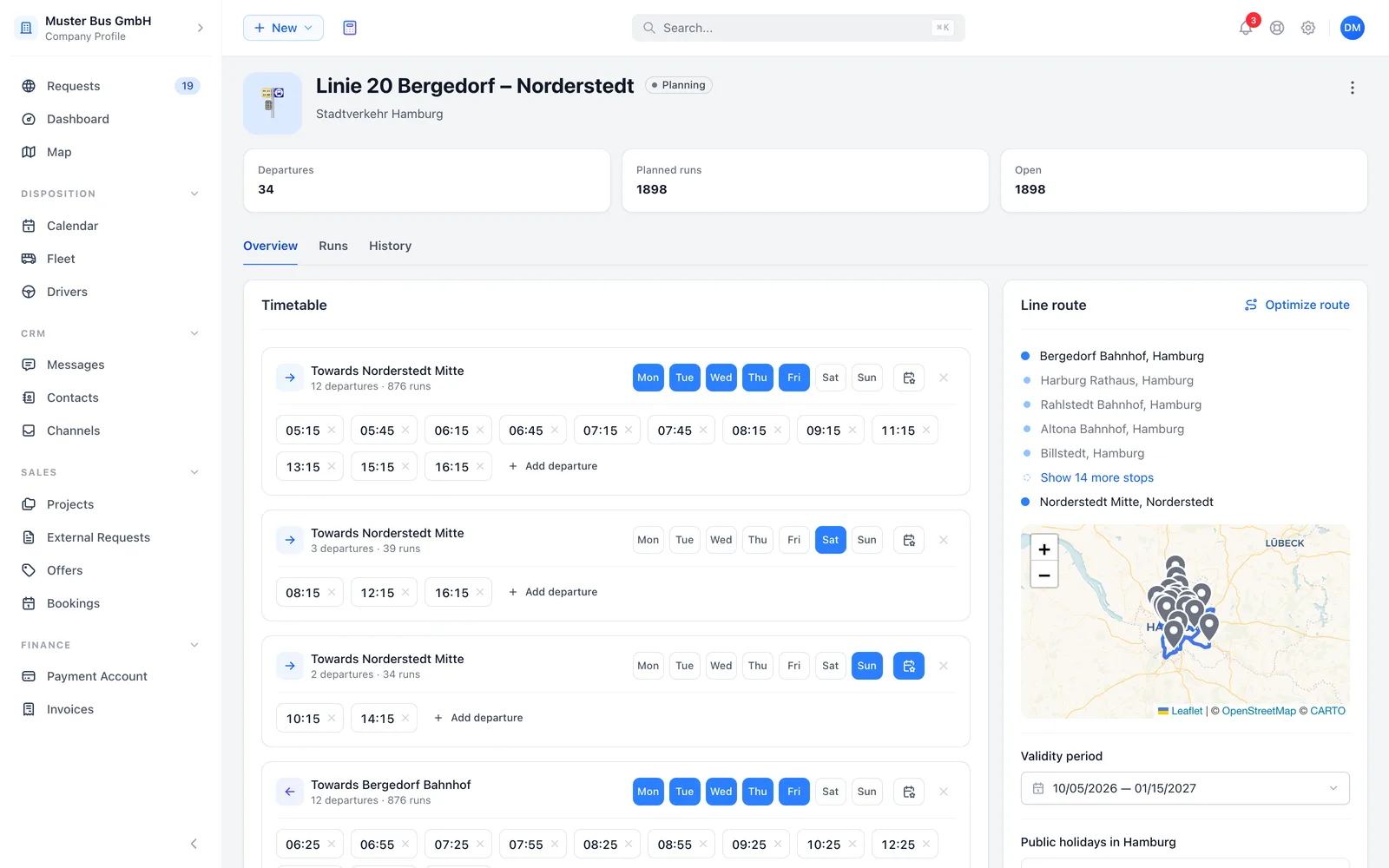
One timetable, every run
You add departures per direction in blocks, each block with its own operating days. Busly works out every single run across the period of validity and shows you the number while you plan.
- Outbound and return with their own departure times
- Operating days per block, Monday to Sunday
- Number of runs counted live while planning
- Warning for duplicate departures on the same day
Towards Norderstedt
16 departures · 160 runs
Towards Bergedorf
16 departures · 160 runs
Your scheduled services at a glance
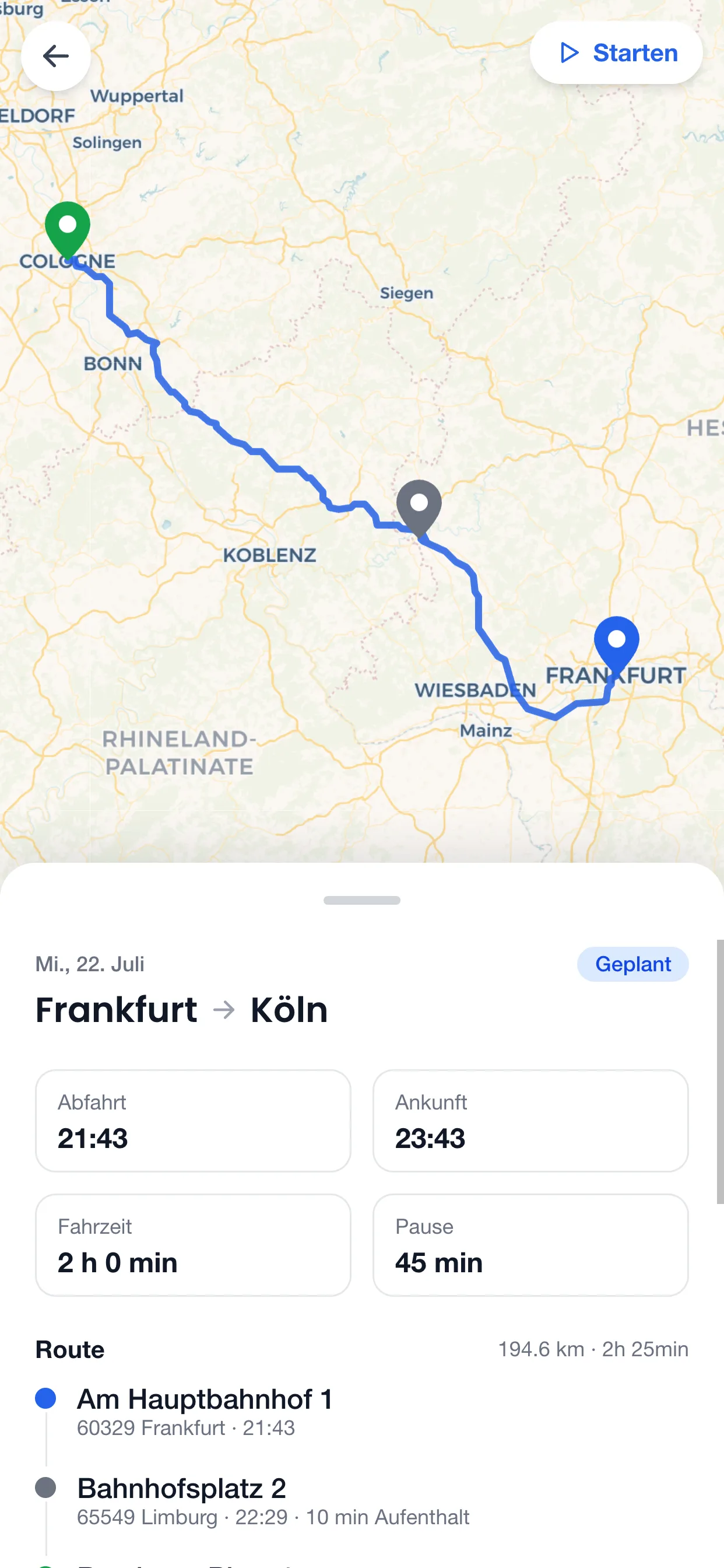
The line planner keeps it all together: timetable, route and every run with its bus and driver in the weekly grid. Open runs stand out right away. On the road, your driver sees their line runs in the driver app.
The best route for your line
Busly compares the current, the fastest and the shortest order of stops for your route, calculated for buses. Start and destination stay fixed, and you apply the better option with one click. The return trip follows automatically in reverse.
- Current, fastest and shortest option side by side
- Savings in kilometres at a glance
- Return trip takes over the new order in reverse
- Times at every stop calculated for every run
Assign once, apply to the whole series
The weekly grid shows every run with its bus and driver, open runs are highlighted. You assign one run and apply the bus and driver to every run of the same departure or just to one weekday. Busly skips booked slots and tells you which ones.
Mon
May 3
Tue
May 4
Wed
May 5
Thu
May 6
Ascension Day
No runs
Fri
May 7
Sat
May 8
No runs
Sun
May 9
No runs
Change the timetable without touching past runs
If the timetable changes during the term, you set the date it takes effect. Runs before that stay unchanged, all runs after it follow the new timetable. If your customer has a Busly account, the change is sent to them as a request and applies once they approve.
- Effective from a set date, tomorrow at the earliest
- Previous and new timetable side by side
- Booked runs that no longer apply are cancelled
- Every change is recorded in the line history
Towards Norderstedt
16 departures · 95 runs
Towards Bergedorf
16 departures · 79 runs
Public holidays are already planned in
Busly knows the public holidays of the federal state where your line starts. On a public holiday only the departures you marked for it run. If the line should run as usual on a holiday, you take it out with one click.
From the line to the run
Whether your customer puts the line out to tender or you set it up for them, everything after that follows the same flow.
- 1
Create the line
Name, route with stops and period of validity. For your own customers you create the line yourself, customers on Busly put their line out to tender themselves.
- 2
Plan the timetable
Set departures per direction and operating days. Busly counts the runs and takes public holidays into account.
- 3
Commission
One click to commission, and the plan becomes operation. Every run is fixed in the calendar, just waiting for a bus and driver.
- 4
Dispatch
Assign bus and driver and apply them to the series. Open runs stay visible until they are covered.
- 5
Drive
Every run appears in the calendar of the bus and driver and in the driver app.
Part of the complete Busly software
Lines are one module of many. Fleet, drivers, dispatching, routing, projects, orders and the driver app work together, without interfaces and without double data entry.
Completely free
No add-on, scheduled services are part of the Busly software.
Plan as many lines and runs as you like, no setup, no subscription, no commitment.
- ∞
- Lines
- ∞
- Runs
- 0 €
- Setup fee
Frequently asked questions
Everything about lines, timetables and dispatching
A service with a fixed timetable over a period: a route with stops, departures per direction and operating days. Busly creates every single run from it, which you then cover with a bus and driver.
Busly uses the public holidays of the federal state where the line starts. On a public holiday only departures marked for holidays run. You can take out individual holidays, the regular weekday then applies.
No. You assign one run and apply the bus and driver to every run of the same departure or the same weekday. Slots where the bus or driver is already booked are skipped and shown to you.
You create the new timetable with an effective date. Runs before it stay unchanged, after it the new timetable applies. If your customer has a Busly account, they approve the change before it takes effect.
Yes. Customers plan lines in their project and put them out to tender, on their own or as a package. You submit an offer and, once ordered, dispatch in the same line planner.
Yes. Every dispatched run appears in the driver's calendar and in the Busly driver app, just like your other trips.
Plan your next line in Busly
Start for free and set up your first timetable in minutes.